Calibre 0.8.37
Date updated
January 28, 2012
Developer
All time downloads
3,327
License
Platform
Windows
Our rating
5 / 5

User ratings
Description of Calibre 0.8.37
Great e-book library management application
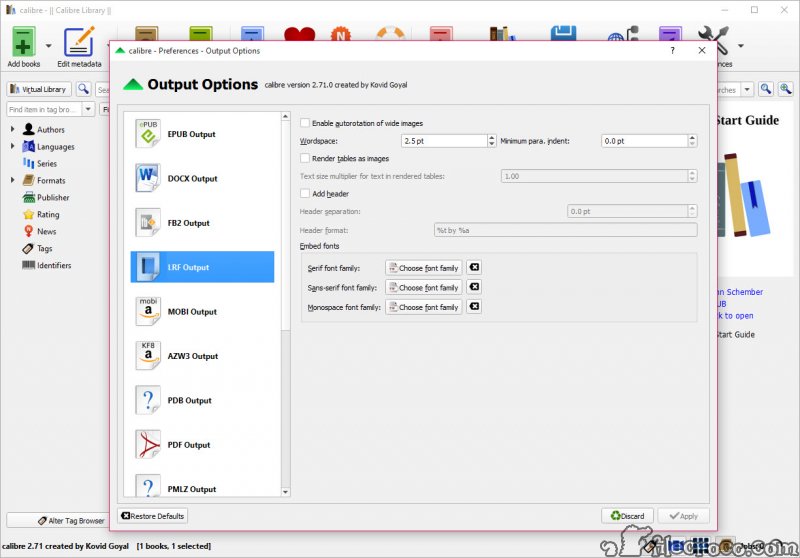
Calibre was designed to be a e-book library management application. Calibre is meant to be a complete e-library solution and thus includes, library management, format conversion, news feeds to ebook conversion as well as e-book reader sync features.
Key features
• Library Management
• E-book conversion
• Syncing to e-book reader devices
• Downloading news from the web and converting it into e-book form
• Comprehensive e-book viewer
• Content server for online access to your book collection
Calibre video preview
You need to upgrade your Flash Player
Editor's review for Calibre
EBooks have, in many people's eyes, been a blessing for book fans and casual readers alike around the world in terms of making printed material available both quickly and easily for viewing in any number of formats ranging from desktop computers to personal portable devices. Unfortunately, for many people, at the same time, this has brought about a number of problems that were not anticipated by most. Namely, with such a massive amount of print material available for viewing around the world how can books be easily organized and stored for reference as well as made to fit to specific formats that one eBook reading software may require yet another may not be able to handle?
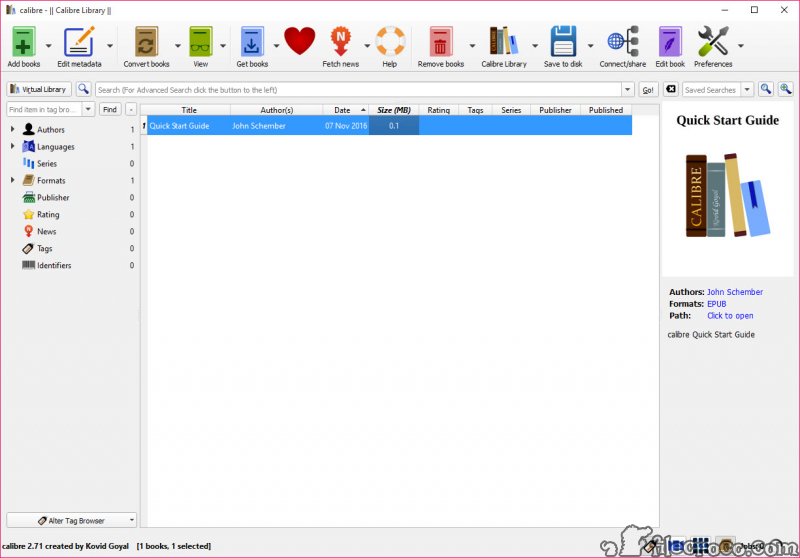
Enter Calibre - an eBook filing and referencing program, Calibre is a completely free and open source program that has been designed by eBook readers for eBook readers and is a perfect way to simplify the eBook referencing process. Working only partly to manage a large library of online books, Calibre also works in a number of other ways to help readers, including converting eBooks to necessary formats for many readers, synchronizing eBook distribution to various portable devices, downloading news stories from the internet and convert it into formats that will be compatible with various eBook reading programs, read various forms of eBooks on its own that may require multiple different readers to access and even serve as a content server to access your own personal eBook collection online from any computer connected to the internet around the world.
All of this can be done through a convenient, easy to use graphical interface that makes sorting and conversion a breeze. Most of the controls for the program are highly intuitive and can be used with little reference to any other supporting documentation, meaning that Caliber can be downloaded and used by most people looking to optimize their eBook experience straight away without sacrificing any precious time dedicating themselves to further organization or conversion tools that may not be effective.
In fact, Caliber is particularly effective as a tool for converting many documents for viewing on many portable eBook readers as well. Amazon's Kindle, for instance, requires a special document formatting for any information to be viewed on it - one of the formats that Caliber can handle quickly and effectively on its own. This means that Caliber can end up saving you both time and money by bypassing other costly conversion methods and allowing you to truly make all of your documents portable.
In short, Calibre is one of the most comprehensive eBook tools available to users today in terms of what it can bring to you and your personal reading pleasure, available to everyone absolutely free of charge. This means that eBooks, already growing in popularity, can take one step further - and you as a personal reader can go forward with them without worrying about organizing your own files, developing your own system or relying upon expensive (and sometimes unreliable) other organization methods on your own computer.
Download your copy now and enjoy the benefits of what Calibre can bring to you.
What is new in version 0.8.37
New Features:
• Allow calibre to be run simultaneously in two different user accounts on windows.
• Driver for Motorola Photon and Point of View PlayTab
• Add a checkbox to preferences->plugins to show only user installed plugins
• Add a restart calibre button to the warning dialog that pops up after changing some preference that requires a restart
Bug Fixes:
• Fix regression in 0.8.36 that caused the remove format from book function to only delete the entry from the database and not delete the actual file from the disk
• Fix regression in 0.8.36 that caused the calibredb command to not properly refresh the format information in the GUI
• E-book viewer: Preserve the current position more accurately when changing font size/other preferences.
• Conversion pipeline: Fix items in the that refer to files with URL unsafe filenames being ignored.
• Fix calibre not running on linux systems that set LANG to an empty string
• On first run of calibre, ensure the columns are sized appropriately
• MOBI Output: Do not collapse whitespace when setting the comments metadata in newly created MOBI files
• HTML Input: Fix handling of files with ä characters in their filenames.
• Fix the sort on startup tweak ignoring more than three levels
• Edit metadata dialog: Fix a bug that broke adding of a file to the book that calibre did not previously know about in the books directory while simultaneously changing the author or title of the book.
New news sources:
• Mumbai Mirror
• Real Clear
• Gazeta Wyborcza
• The Daily News Egypt and al masry al youm
• Klip.me
Improved news sources:
• People's Daily
• Plus Info
• grantland.com
• Eret es irodalom
• Sueddeutsche.de
User reviews
by
pjto on December 20th 2010, 18:32
Excellent ebook management/conversion tool.
Add your review
Top popularity in Office Suites and Tools