
categories
Mac
editor's picks
Txt2Csv 1.0.4
Convert a plain text file to a CSV
Utilities - PDF Tools
PDFKeeper 2.4.0
PDF document storage for small or home office
Utilities - PDF Tools
PrimoPDF 5.0.0.19
Convert all your documents to high quality PDF files
Utilities - PDF Tools
PDF ShapingUp 2.4.0.80
All-in-one visual PDF workshop with projects management
Utilities - PDF Tools
PDFill 8.0
A excelent tool to create or modify PDF documents
Utilities - PDF Tools
FM PDF To PNG Converter 1.0
Converts PDF files to images in PNG formats
Utilities - PDF Tools

PDFill 8.0

Date updated
September 2, 2010
Developer
PlotSoft L L C | (more products)
Price
$19.99
All time downloads
693
License
Platform
Windows
Our rating
5 / 5
User ratings
Read user reviews (0)

Description of PDFill 8.0

A excelent tool to create or modify PDF documents
PDFill is the complementary utility to Adobe Reader. With PDFill, you will be able to fill out a form saved in PDF format on your computer instead of using a typewriter. PDFill is more than a form filler software. You can add text and check boxes accurately anywhere in the document.

Furthermore, you can save the filled PDF locally and resume filling later without Adobe Acrobat.

Key features

• Save the filled PDF locally with options to add Description, Encrypt/Decrypt, View preferences, Presentation Effect and Rotate/Crop. Save editing now and Resume editing later.
• Fill-in and save interactive PDF forms to your computer for easy archiving, E-mailing or later printing. Allows you to fill and edit Text, Check Box, Radio Button, Combo Box and List Box fields. You can also import/export form data into a tab delimited Text and Excel file. Spell Checker for the filled text.
• Create, Fill, Edit, Delete, Reset or Submit PDF form fields (Text Field, Check Box, Radio Button, Combo Box, List Box or Push Button). You can also add PDF Form Action (Reset, Submit, Simple Calculation ...) into the new field.
• Insert new formatted Text, Check, Image, Hyperlink, Whiteout and Highlight accurately anywhere inside PDF even if there is no interactive form inside without Adobe Acrobat. You can also create or insert Blank PDF Page and then insert new text, check, image or form fields inside.
• Add Commenting, Annotating or Marking (Text Box, Highlight, Sticky Note, Popup, File Attachment, Play Video, Line, Arrow, Rectangle, Circle) directly on the PDF document.
• Add Line, Arrow, Rectangle, Circle, Ellipse, Arc, Pie with border/filling styles directly into the PDF document.
• Scan your Paper Form or Photo directly into a new or existing PDF document, then you can fill it using computer!
• Add PDF Actions: Web Link, PDF Form Reset & Submit, JavaScript, Page Navigation (First, Next, Previous, Last), Goto another PDF document, and launching external application.
• PDF Bookmark
• Add PDF Bookmarks to navigate the PDF: Go to a Local or External PDF Page, Web Link or External Document.
• Support for International languages
• Type your language into PDF just like if you were using a typewriter. See PDF Filler.
• Create a PDF Form Field to fill International languages. See PDF Form Maker.
• Add your comment in your language as Free Text, Sticky Notes or Popup. See PDF Commenting.
• Align Tool and Smart Positioning to precisely align Left, Horizontal Middle, Right, Top, Vertical Center, Bottom, Space Evenly Across/Down, Make Same Width or Height; Multiple selected objects for Delete, Copy and Move. Tab Order by clicking visually or Table arrangement.
• FREE PDF & Image Writer allows you to create PDF or Image from ANY printable windows application including Microsoft?® Word, PowerPoint, Excel, Cad, and More.
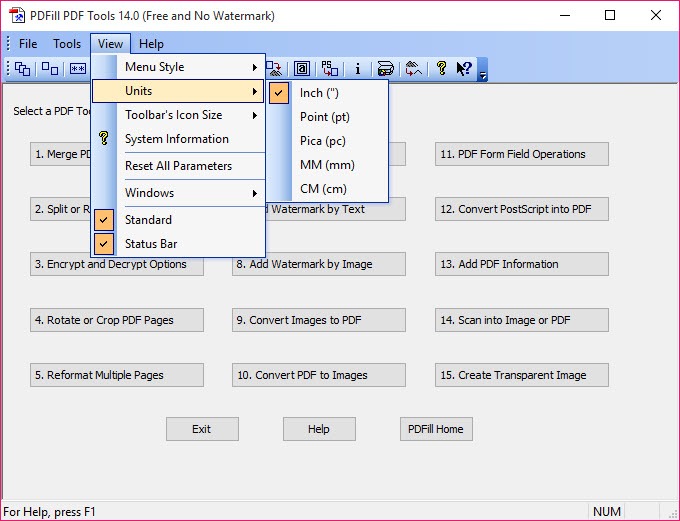
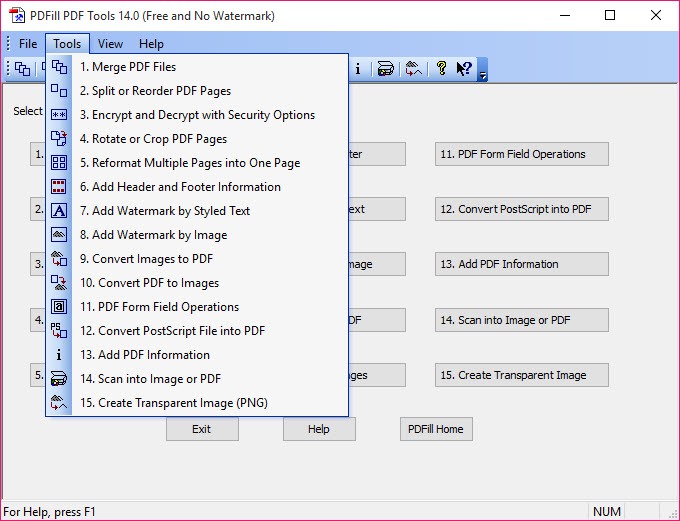
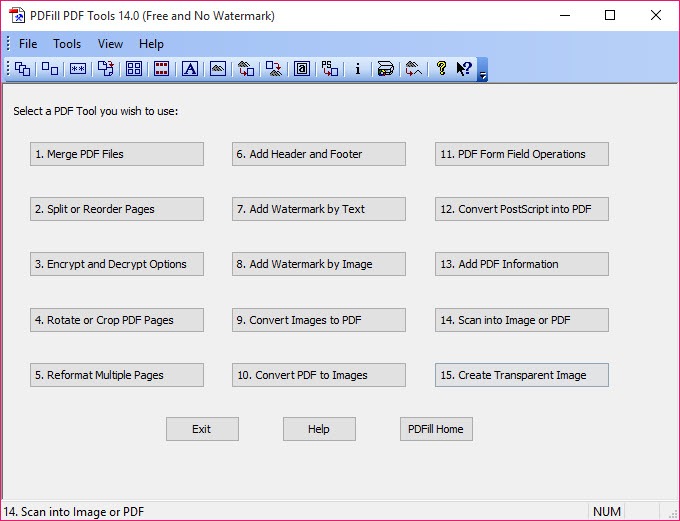
• Free PDF Tools allows you to Merge, Split and Reorder, Encrypt and Decrypt, Rotate and Crop, Reformat, Header and Footer, Watermark by text, Watermark by image, Convert images to PDF, Convert PDF to image, Flatten/Delete/List PDF Form Fields, and Convert Postscript into PDF

Requirements for PDFill 8.0

• GhostScript
• Adobe Acrobat Reader

Editor's review for PDFill

As the ability to read various PDF formats has become a standard feature on most computers this has allowed more and more personal users, businesses and even government organizations to rely upon the highly versatile PDF format for their various purposes. This allows for the quick and easy transfer of information in any number of secure forms ranging from standard PDFs of word documents to various forms for official purposes being sent from one user to another.

Unfortunately, for many people, while they may have the ability to enter information directly into a PDF document's forms and then print the information off for use elsewhere they generally do not have the ability to save any information inserted into any forms in secure documents. This means that any information filled out in the form must be manually submitted in physical form after being printed out and no electronic copy can be kept for personal records without it first needing to be re-scanned back into a computer system and filed away as an image rather than a modifiable document.

Up until now the only solution to this problem has been to invest hundreds of dollars in various Acrobat programs that allow for the saving of information and editing of PDFs to occur, though not anymore thanks to PDFill. Bearing in mind the troubles and various headaches using regular PDF forms can bring to many users and not wanting to follow in the footsteps of many other developers charging exorbitant fees for their product's use, PDFill provides a cheap, effective alternative and solution to all of your PDF problems without requiring you to invest vast sums of money in the process.

Able to modify PDF fields in various ways including direct editing, inserting, filling, deleting and submitting them within the PDF document itself, PDFill provides users with the ability to do what they need most without needing to go through all of the hassles and troubles otherwise associated with their normal PDF use. Additionally PDFill allows users to draw, type, comment, sign and even scan PDF documents wrapped up in its ability to open, view, modify and save various PDF files without the need for Adobe Acrobat.

If you're tired of dealing with form after form in PDF documentation then don't waste another minute of your precious time - download PDFill now and start reaping the benefits of more effective PDF viewing and editing without the hassles associated with other more costly products.

Add your review

Your name:*
Overall conclusion:*
Be descriptive:*
min 100 chars (0)
Your rating:*
Verification:*

Top popularity in PDF Tools

1
Adobe Acrobat X Pro 10.1.2
Create, combine, control and deliver PDF files
2
Txt2Csv 1.0.4
Convert a plain text file to a CSV
3
PdfGrabber 5.0.0.10
Convert, edit and create PDF files
4
PDFKeeper 2.4.0
PDF document storage for small or home office
5
PDFZilla 1.2.9
Powerful PDF to Word converter. Fast and easy tool
6
ABBYY PDF Transformer 2.0
Convert PDF to editable files
7
PrimoPDF 5.0.0.19
Convert all your documents to high quality PDF files
