
CATEGORIES
Mac
EDITOR'S PICKS
Pale Moon 19.0.1
High speed custom built Firefox browser
Internet - Browsers
CoolNovo 2.0.8.29
Internet browser with all Google Chrome features and more
Internet - Browsers
Lunascape 6.8.4
Triple engine browser. The first and the only
Internet - Browsers
Opera@USB 12.14 Build 1738
Portable version for the popular Opera Browser
Internet - Browsers
SmartFinder V1.2 Build 2010050801
A web browser features tickers and fast internet searching
Internet - Browsers

Opera@USB 12.14 Build 1738

Your rating
(3.8) 12 Votes
Date updated
February 12, 2013
Developer
Markus Obermair | (more products)
All time downloads
3,121
License
Platform
Windows
Size
14.30 MB

Description of Opera@USB 12.14 Build 1738

Portable version for the popular Opera Browser
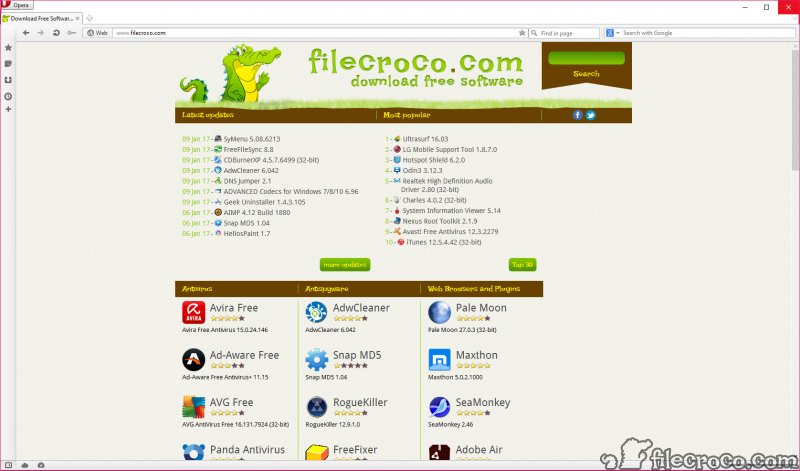
Opera@USB is the portable version of the popular Opera Web-Browser. Opera@USB is the most full-featured Internet power tool on the market. Opera includes tabbed browsing, pop-up blocking, integrated searches and more advanced functions like Opera's e-mail program.

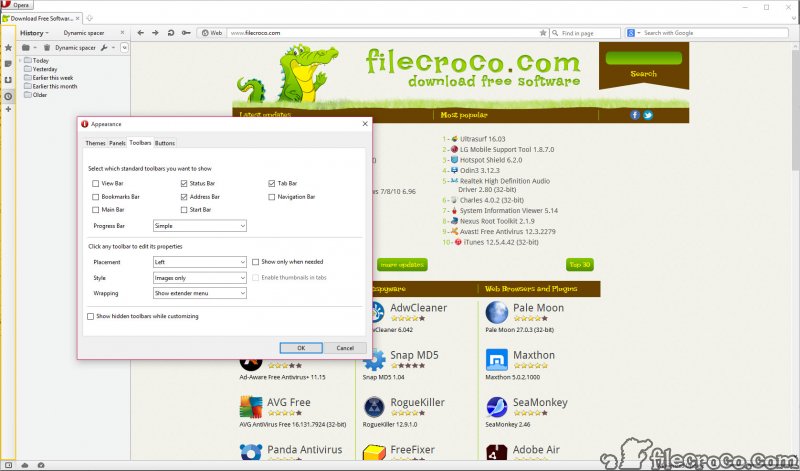
The application also features RSS Newsfeeds and IRC chat. And because we know that our users have different needs, you can customize the look and content of your Opera browser with a few clicks of the mouse.

Key features

• Speed Dial - Now you have a new way to access your favorite Web sites. Just open a new tab to get your Speed Dial. It's easy to populate and addictive to use.
• Fraud protection - Opera's advanced fraud protection protects you against web sites that try to steal your personal information. Watch the demo to learn how to enable this feature.
• BitTorrent - You don't need a separate BitTorrent application to download large files. Simply click a torrent link and start the download.
• Add your favorite search engines - Right-click on the site's search field and select "Create search" from the menu.
• Site preferences - Want to view a site in a different way or deny certain cookies? Want to block pop-ups on certain sites only? Right click and select "Edit site preferences".
• Widgets - Small Web applications (multimedia, newsfeeds, games and more) that make your desktop experience more fun. Use the Widgets menu to discover new widgets and access your favorites. Visit widgets.opera.com to learn more.
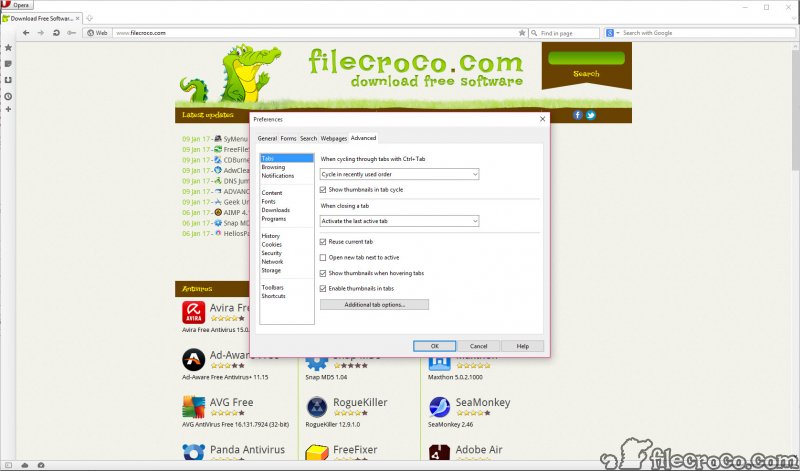
• Thumbnail preview - It is easy to have many tabs open at once in Opera. But exactly which tab had that video you wanted? Hover your mouse on any tab to see a thumbnail preview.
• Transfer manager - View download progress and access all your downloads from one simple transfer manager window.
• Tabbed browsing - Surf the Web easier and faster by opening multiple Web pages within the same application window.
• Password manager - The password manager remembers your usernames and passwords so you will not have to.
• Integrated search - Search Google, eBay, Amazon and more with our integrated search field. You can also search directly in the address field using keywords (for example "g" for Google).
• Mouse gestures - Opera supports mouse gestures, allowing you to perform certain movements with the mouse to access commonly used features.
• Fast Forward - Fast Forward will detect the most likely "next page" link and greatly simplify navigation in multi-page documents such as search results and image galleries.
• Notes - Notes can be kept in conjunction with a Web site you want to refer to later, or remind you of any particular information you may like to review again.
• Voice - The voice feature allows you to control Opera's interface by talking and to have documents read aloud. Voice is currently offered in English and runs on Windows 2000 and XP.
• Keyboard Shortcuts - Keyboard shortcuts - like mouse gestures - make your browsing faster and more efficient. Read more about all the keyboard shortcuts in Opera.

Editor's review for Opera@USB

All around the world, the Opera internet browser is used by countless users for browsing the internet as a fast, safe alternative to many other mainstream browsers used on the market today. Integrated into a number of mobile phones for its flexibility and speed of use on even basic systems, Opera is a highly developed system that may not be as popular as some browsers such as Internet Explorer and Firefox yet at the same time offers a level of speed, security and usability second to none on the market.

Not limiting itself to simply being installed on a computer system Opera now even comes with the ability to be run on any portable storage device such as a USB stick or portable hard disk. This means that rather than being reliant upon whatever browser a computer may have installed at the time you can fully utilize all of what Opera has to offer and have your own personal browser with you wherever you may travel, being able to run anywhere a USB port can be accessed and your information read in order to truly give you the flexibility and usability you deserve in an internet browser.

Coming in variety of languages thanks to Opera's large user and developer base, Opera@USB can be utilized both quickly and effectively. Simply download the latest version of the software, extract it to your desired USB or hard disk and run the program from there - no lengthy installation processes or other conversion steps in order to allow it to run completely from a portable drive are necessary.

Some of the benefits of utilizing Opera@USB include not only the ability to use Opera's award winning browser from virtually any computer but also the ability for you to take with it your personal settings for internet browsing including any saved usernames and passwords, bookmarks, cookies or other necessary information. This means you no longer need to worry about re-entering in countless amounts of data when transferring from computer to computer, wasting hours of your precious time doing again what you have already done with Opera on some other computer.

All of this is available to users globally free of charge, provided by Opera for consumer use to and distributed through reliable mirrors to all locations so you need not worry about either reliability or access ever again.

To truly feel the difference Opera@USB can have for you download a copy for yourself today and start enjoying portable browser power first hand.

What is new in version 12.14 Build 1738

General and User Interface:
• Update addresses a re-occuring crash, allowing users to update two or more extensions at one time.

Add your review

Your name:*
Overall conclusion:*
Be descriptive:*
min 100 chars (0)
Your rating:*
Verification:*

Top popularity in Browsers

1
Opera 12.11 Build 1661
More than 20 million people use Opera as their preferred browser
2
Pale Moon 19.0.1
High speed custom built Firefox browser
3
Flock 3.5.0
Web browser with del.icio.us and Flickr support
4
CoolNovo 2.0.8.29
Internet browser with all Google Chrome features and more
5
Lunascape 6.8.4
Triple engine browser. The first and the only
6
Firefox 17.0.1
Very flexible and customizable web browser
7
Avant Browser 2013 build 107
A new Internet browser with built in Yahoo and Google SE
