


 (7 votes, average: 3.29 out of 5)
- Review
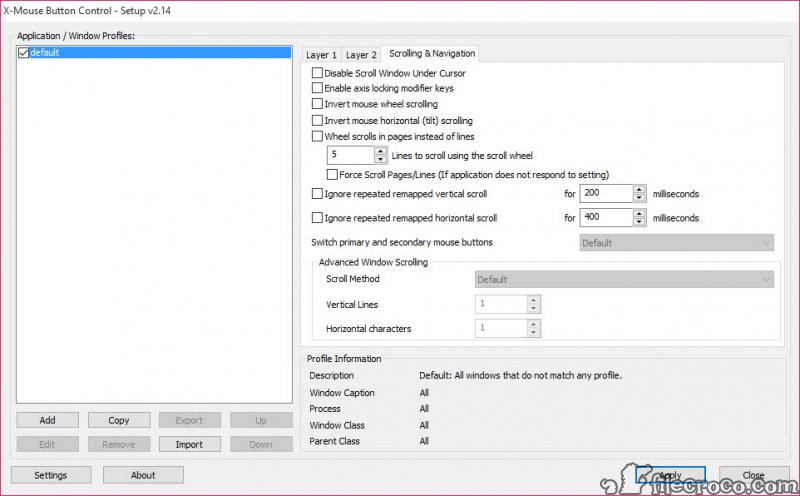
If you want to change everything in Windows to work how you like, you probably want to change your mouse’s behavior. However, Windows does not allow you to customize your mouse’s behavior based on applications and windows.
It would help to have a tool such as XBMC (X-Mouse Button Control). You can configure your mouse to work in a specific way for individual application windows.
It also has many more options you can play with. You have to create application-specific profiles. These are activated automatically as soon as your mouse touches the edges of the window. Your mouse behaves just as you like when working with specific applications.
You can configure the mouse to do a lot of neat things. For example, you can make your mouse change the scroll wheel’s volume when you hover over the system tray or a YouTube video. If your video games don’t know what a 4th and 5th mouse button is, they can’t use them.
However, using this program, you can still map specific actions to each button. Also, you can change the behavior of your mouse’s buttons and scroll wheel. It’s like creating macros for specific mouse buttons.
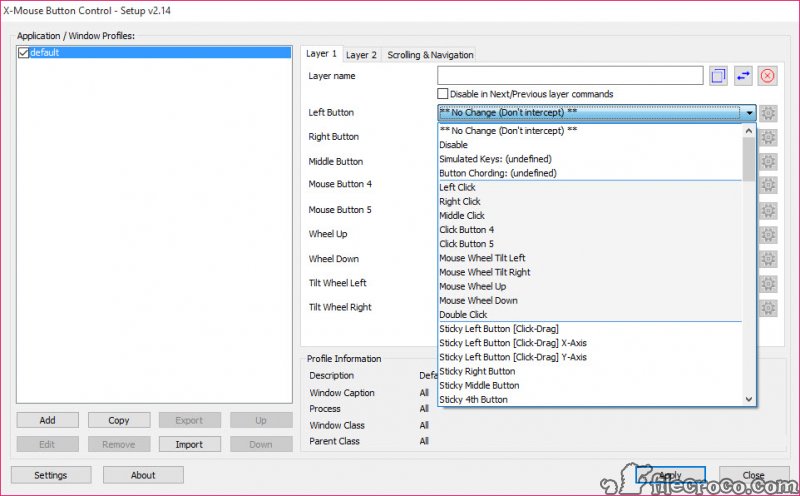
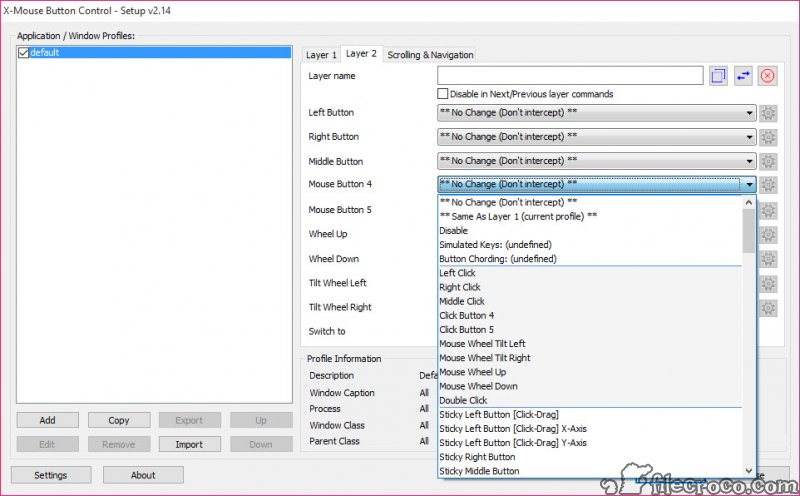
The main window of X-Mouse Button Control displays your profiles, and you can change them. For example, you can make them launch a Windows program, use them to control media playback, capture a screenshot, copy, cut and paste, and many more. You create profiles by adding layers (up to five). Each layer can hold up to eight mouse actions.
To choose an action, you use a drop-down menu containing an impressive number of actions. The settings are applied without problems, and the program does not affect your mouse’s functionality.
It does not interfere with the device drivers. The software did everything we requested while testing, leaving the default mouse functionality untouched. You can switch profiles simply by right-clicking the application icon in the system tray and choosing another profile.
XBMC is one of the better tools for configuring your mouse. The program works with all kinds of mice, including wireless laser models. We couldn’t find a mouse that it couldn’t support.
It passed our tests with great results! Unlike Microsoft’s Mouse and Keyboard Center, X-Mouse Button Control works with any mouse brand. Besides, it is easier and more versatile than WizMouse and KatMouse.
Technical details
Alternative software


User reviews
Most downloaded software


